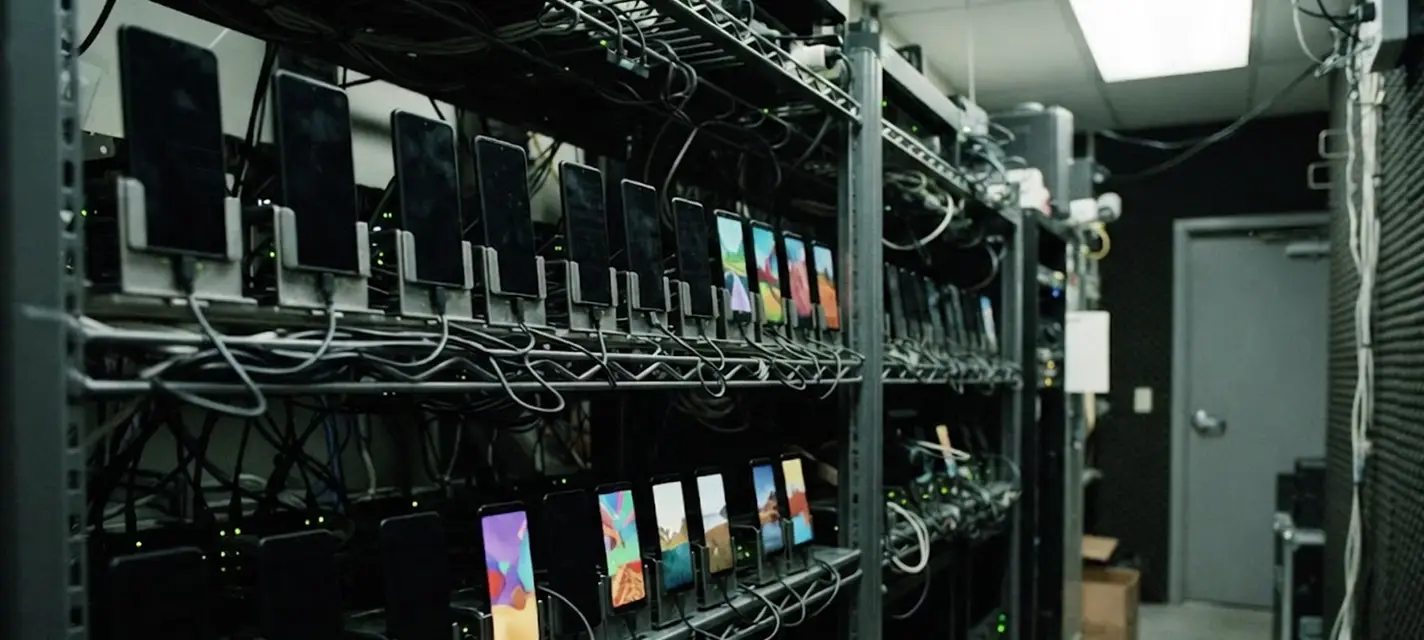
XCloudPhone is a cloud phone platform running on real ARM Android phones, built and operated by XLAB. Each renter gets a real Android phone in a data center and controls it directly in the browser over WebRTC; the phone keeps running 24/7 even after the renter turns off their computer.
How does XCloudPhone work?
XCloudPhone streams the screen of a real Android phone to the browser and sends the user’s input back to the phone, so renters use the cloud phone as if it were in their hand. Using it takes four steps:
- Pick a device configuration and rent it on xcloudphone.net.
- Open the phone in the browser, or with the XCloudPhone Android app.
- Install apps and games just like on a regular Android phone.
- Close the browser — the phone keeps running and reopens exactly where you left it.
What is XCloudPhone used for?
XCloudPhone mainly serves mobile gamers, followed by people who manage multiple accounts and technical users.
- Mobile gaming: a high-spec device runs demanding games, even when the player’s own phone is old.
- Running games and apps 24/7: the phone runs continuously in the cloud, so your own phone can stay off.
- Managing multiple accounts: one real Android phone per account, with editable device information and your own proxy.
- Technical users: XCloudPhone supports root and direct control from the web.
How is a cloud phone different from an Android emulator?
An XCloudPhone cloud phone runs on real ARM Android hardware, while an Android emulator runs a virtual machine on the user’s own computer. That difference decides whether the device can run 24/7 and whether it uses your computer’s resources.
| Criteria | XCloudPhone (real phone in the cloud) | Android emulator on a computer |
|---|---|---|
| Hardware | Real ARM Android phone | Virtual machine on the computer’s CPU |
| Runs with your computer off | Yes, 24/7 | No |
| Your computer’s resources | Only a browser | Uses CPU, RAM and disk |
| Operating system | Android 16 | Depends on the emulator |
A detailed comparison is in the article cloud phone vs Android emulator on the XCloudPhone website.
Which parts of XCloudPhone does XLAB build?
XLAB builds the whole XCloudPhone system, from the operating system on the device to the user interface:
- A custom Android 16 operating system for devices that run continuously and are controlled remotely.
- A real-hardware fleet with monitoring, alerting and self-recovery.
- Real-time video over WebRTC on XLAB’s own STUN/TURN infrastructure.
- Web apps for renters, device owners and administrators, plus the XCloudPhone Android app.
- A partner portal and a reseller program for businesses that want to distribute XCloudPhone.
See pricing and rent a device at xcloudphone.net. Another XLAB project: XLAB Cloner — an app that runs several copies of one app on Android.